
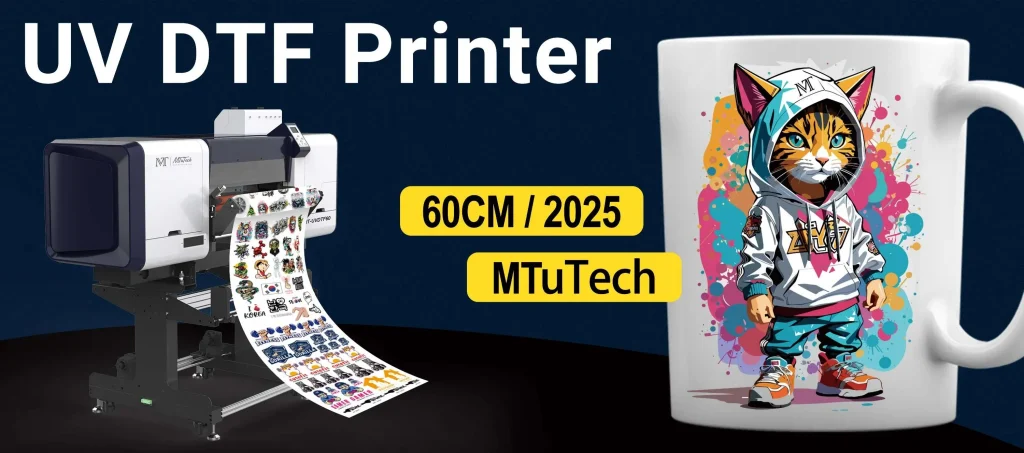
Maximizing UV DTF setup is crucial for any business aiming to produce superior prints that are durable and visually striking. As the popularity of UV DTF printing surges, it becomes imperative to delve into key strategies that enhance print quality optimization. From precise printer maintenance to effective substrate selection, each factor plays a vital role in achieving the best results. By understanding the nuances of UV curing technology and its interplay with your equipment, you can elevate your printing process to new heights. This article will guide you through essential tips and techniques that ensure your UV DTF printing yields professional-grade outcomes.
Exploring the art of enhancing your direct-to-film printing setup can unlock a world of creative opportunities in the printing industry. This innovative technique, integrating cutting-edge UV curing methods, allows for remarkable customization and stunning finish quality. To achieve optimal output, it’s essential to consider every aspect of the printing process, from maintaining your printer to selecting appropriate materials. Additionally, understanding how to manipulate the environment where the printing occurs can make a significant difference in the end product. In the following sections, we will uncover various strategies and insights to help you refine your direct-to-film printing capabilities and achieve exceptional results.
Maximizing UV DTF Setup for Quality Output
To maximize your UV DTF setup, it’s essential to first understand the foundational elements of UV DTF printing, including techniques that optimize print quality. High-resolution settings are crucial; a minimum of 1440 DPI captures intricate details, ensuring that artwork translates beautifully onto fabric. Additionally, fine-tuning print speed and ink flow can significantly impact the final output, making it vital to adjust these parameters based on the specific requirements of your projects.
Furthermore, printer maintenance plays a vital role in maximizing UV DTF setup. Regular cleaning of printheads is necessary to prevent blockages that can lead to inadequate ink flow and subpar print quality. Maintaining consistent color calibration ensures that printers deliver accurate colors throughout production runs, a necessity for businesses focused on brand consistency and customer satisfaction.
Understanding UV Curing Technology
UV curing technology is at the heart of UV DTF printing, making it an efficient choice for producing vibrant and durable prints. This method involves using ultraviolet light to cure ink as it’s applied to the substrate, resulting in quick drying times and enhanced adhesion properties. When properly executed, UV curing can significantly increase a print’s resistance to fading and wear, essential for items subjected to regular use.
Additionally, understanding the interaction between UV inks and substrates can amplify the benefits of UV curing. Selecting non-absorbent substrates enhances the curing process, allowing for optimal ink adhesion without compromising the clarity of the print. Using the right combination of UV inks and films tailored for specific substrates further streamlines the curing process, resulting in superior print longevity.
Optimal Settings for UV DTF Printing
Configuring optimal settings is a crucial step in maximizing the capabilities of UV DTF printing. Adjustments to resolution, speed, and ink flow should be considered carefully based on the project’s needs. High resolution captures fine details essential for intricate designs, while varying print speeds can influence overall print quality and efficiency.
Moreover, monitoring curing settings is equally important. The intensity and duration of UV exposure must be tailored according to the thickness and type of substrate being printed on. Proper lamp height adjustment is recommended to optimize the curing effect, prevent issues such as smudging or incomplete curing, and ensure the print achieves its full potential.
Choosing the Right Substrates
Substrate selection is a determining factor for successful UV DTF printing. Smooth, non-absorbent materials are often the best choice due to their compatibility with UV inks. These substrates allow for better ink adhesion and durability, essential for products that require long-lasting quality.
Additionally, experimenting with various material blends, such as cotton and polyester, can yield insights into print performance. Some substrates outperform others in terms of ink interactions, making it valuable to test and identify which materials enhance print outcomes for specific applications. Proper substrate selection ultimately leads to higher quality results, ensuring customer satisfaction and repeat business.
Maintaining Your UV DTF Printer
Regular maintenance is essential for sustaining the performance of your UV DTF printer. A proactive approach involves routine cleaning of printheads and ensuring all components are free from debris. This upkeep is vital to prevent operational slowdowns and costly print errors that can tarnish your business reputation.
Moreover, implementing a schedule for color calibration and alignment checks guarantees consistent print quality over time. Inevitably, a well-maintained printer operates more efficiently, allowing for quicker turnaround on customer orders and enhanced overall productivity in your printing operation.
Creating an Ideal Work Environment
The work environment significantly influences print quality in UV DTF printing. Maintaining optimal temperature and humidity levels creates an ideal setting for curing and drying processes. A workshop kept at around 20-22°C (68-72°F) with low humidity levels fosters better ink adhesion and reduces the likelihood of printing errors, critical for achieving high-quality prints.
Furthermore, monitoring environmental factors can prevent common issues related to ink application. High humidity can slow down drying times and hinder the curing process, leading to unsatisfactory outputs. Therefore, understanding and controlling your workspace environment is as essential as the technical aspects of the printing process.
Frequently Asked Questions
How can I maximize UV DTF setup for optimal print quality?
To maximize your UV DTF setup for optimal print quality, ensure your printer settings are fine-tuned with a minimum resolution of 1440 DPI. Adjust ink flow and print speed according to project demands, and always prioritize the correct curing time and intensity based on the substrate. Regular maintenance, such as cleaning printheads and color calibration, also plays a crucial role in maintaining high-quality outputs.
What role does substrate selection play in maximizing UV DTF printing?
Substrate selection is vital in maximizing UV DTF printing results. Opt for smooth, non-absorbent substrates that enhance ink adhesion and durability. Testing various materials, such as cotton blends or specialized polymers, allows you to discover which combinations yield the best quality prints for your specific applications.
What are key maintenance tips to ensure a successful UV DTF setup?
To ensure a successful UV DTF setup, implement regular maintenance practices like cleaning printheads to avoid ink obstruction and performing color calibration checks to maintain color accuracy. Additionally, schedule routine printer inspections to identify any issues before they escalate, thereby sustaining high-quality output.
How does UV curing technology impact the UV DTF printing process?
UV curing technology is essential in the UV DTF printing process as it ensures the inks dry quickly and adhere firmly to the substrate. Proper adjustment of UV lamp height and exposure time is necessary to achieve optimal curing, preventing problems like smudging and ensuring long-lasting prints.
Why is printer maintenance important for maximizing UV DTF setup effectiveness?
Printer maintenance is crucial for maximizing UV DTF setup effectiveness because it prevents dust and debris from obstructing ink flow, which can result in poor print quality. Consistent maintenance practices help maintain printer performance, resulting in less downtime and higher overall printing quality.
What environmental factors should I control to improve my UV DTF printing results?
Controlling environmental factors such as humidity and temperature is essential to improve your UV DTF printing results. Aim to maintain an optimal temperature of 20-22°C (68-72°F) with low humidity levels to ensure better ink performance and curing, leading to superior adhesion and reduced print errors.
| Key Topics | Details |
|---|---|
| Introduction | Maximizing UV DTF setup is vital for high-quality, durable prints. |
| Understanding UV DTF Technology | Combines UV curing with direct-to-film printing for enhanced durability. |
| Optimal Settings and Profiles | Resolution of 1440 DPI, fine-tuning print speed, and ink flow is crucial. |
| Curing Considerations | Adjust UV lamp height for better curing; optimize exposure time. |
| Material Selection | Choose smooth, non-absorbent substrates for superior results. |
| Maintenance and Calibration | Regular cleaning and color calibration are essential for quality. |
| Work Environment | Maintain 20-22°C (68-72°F) and low humidity for optimal output. |
| Training and Knowledge | Invest in operator training for better troubleshooting and practices. |
Summary
Maximizing UV DTF setup is crucial to achieving exemplary results in printing technology. By understanding the nuances of UV DTF printing methods, including optimal settings, appropriate material selection, and proper maintenance practices, you can significantly enhance your print quality. Creating an ideal work environment and investing in operator training can further refine your processes, ensuring durability and visual acuity in all final outputs. The dedication to these aspects will help your business excel, allowing you to deliver impressive products that stand out in quality and reliability.