
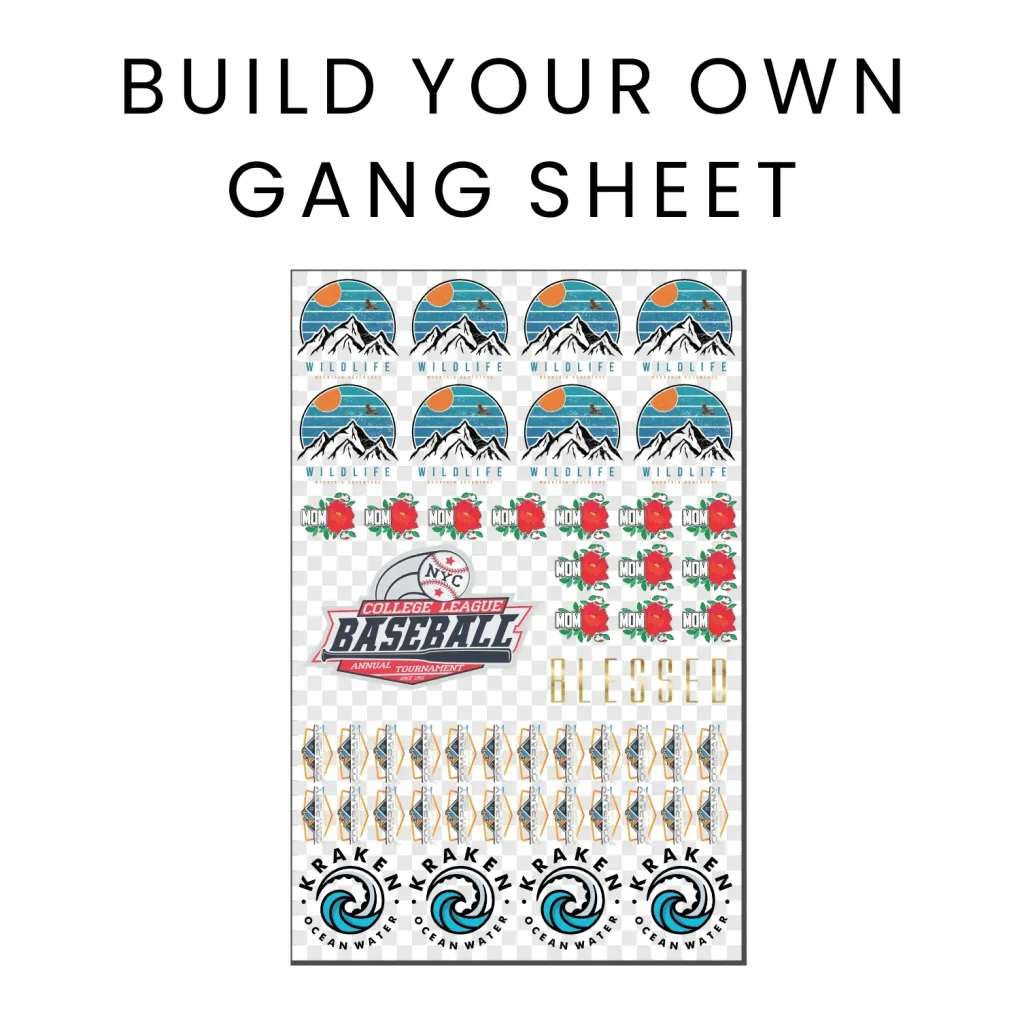
The DTF Gangsheets Builder is revolutionizing the way designers approach fabric printing by allowing for the seamless creation of multiple designs on a single sheet. This innovative tool streamlines the DTF (Direct-to-Film) printing process, enabling you to maximize creative potential while minimizing costs and waste. By utilizing DTF gangsheets, you can efficiently print vibrant and durable images on various textiles, ensuring that each product meets high-quality standards. Whether you’re a professional designer or a hobbyist, mastering gangsheet design opens the door to endless possibilities in print on fabric projects. Explore the essential tips and tools to enhance your designs and effectively utilize vector files for stunning results.
The DTF Gangsheets Builder serves as a powerful application for crafting diverse designs for fabric printing. This unique software facilitates the merging of multiple graphics into comprehensive gangsheets, which can be economically printed to create eye-catching apparel. Utilizing advanced design software is crucial in achieving precision and quality when working with DTF printing techniques. From optimizing color profiles to arranging designs thoughtfully on sheets, each step contributes to the final product’s visual appeal. By embracing this innovative approach, you can enhance your creative process and elevate the standards of your fabric prints.
The Benefits of Using DTF Gangsheets for Fabric Printing
DTF gangsheets are revolutionizing the way designs are processed in the fabric printing industry. By allowing multiple images to be printed on a single sheet, DTF gangsheets not only reduce material costs but also minimize waste. This approach enables designers to optimize their printing runs, ensuring that they get the most out of their ink and fabric allocation. With the potential for high-volume production, businesses can fulfill larger orders without sacrificing quality, streamlining their workflow significantly.
Furthermore, using DTF gangsheets enhances the flexibility of designs. Designers can experiment with different styles and color combinations without the need to commit to single designs for each print. This ability to combine various motifs or graphics on one sheet allows for greater creativity and helps in meeting diverse customer preferences. Coupled with efficient production techniques, DTF gangsheets are becoming an essential tool for designers looking to thrive in a competitive market.
Essential Tools for Designing with DTF Gangsheets
When it comes to designing for DTF gangsheets, utilizing the right software makes all the difference. Programs like Adobe Illustrator and CorelDRAW offer advanced vector file capabilities that are crucial for creating scalable graphics. Since DTF printing maintains quality at any size, designers can easily manipulate their vector images to fit various fabric types and sizes. Moreover, features specific to these design tools can significantly streamline the process of arranging images on gangsheets.
Additionally, there are dedicated online platforms such as Canva that cater to users of all skill levels. These tools are especially user-friendly for beginners, providing templates that simplify the gangsheet creation process. The drag-and-drop functionality in tools like Canva can enhance productivity and reduce the learning curve associated with professional-grade software, making it easier to produce high-quality designs in less time.
Maximizing Quality with High-Resolution Designs
One of the keys to achieving outstanding results with DTF printing lies in the quality of the images used. Selecting high-resolution images is imperative, as designs printed in lower quality can appear pixelated or blurry, diminishing the overall appeal. For optimal results, images should be at least 300 DPI. This attention to detail ensures that your colors are vibrant and your details are sharp, making a significant difference in the final product when printed on fabric.
In addition to resolution, employing the correct color profiles is crucial. Many printers operate using CMYK settings, which ensure better color matching and accuracy. Converting your designs from RGB to CMYK prior to printing helps prevent any discrepancies during the production phase, resulting in prints that are true to your original design. By prioritizing image quality and color precision, designers can significantly elevate their end products.
Understanding Fabric Compatibility in DTF Printing
Understanding how different fabrics interact with DTF printing is vital for achieving optimal results. Each fabric type—be it cotton, polyester, or blends—responds differently to inks, creating varied final effects. For example, cotton tends to absorb ink well, making colors appear rich and vibrant, while polyester may lead to a more muted appearance unless properly adjusted in the design phase. By tailoring designs specifically to fabric types, designers can ensure that their artwork translates beautifully onto the material.
Moreover, considering the fabric’s characteristics can inform decisions on treatment and pre-print processes, further enhancing durability post-printing. Researching and testing various materials allows for refined design strategies that maximize fabric compatibility. Understanding these nuances helps designers create products that not only look great but also withstand wear and tear, meeting customer expectations for quality in fabric printing.
Tips for Effective Gangsheet Arrangement
Effective arrangement of designs on a gangsheet is critical for maximizing output and maintaining visual harmony. Designers should focus on spacing and alignment to ensure there’s sufficient room between images, which avoids ink bleed during printing. A well-planned layout not only makes full use of the available space but also enhances the overall aesthetic appeal of the finished product, leading to professional-grade results.
When arranging designs, it’s beneficial to visualize how the final prints will look on the actual fabric. Incorporating a mock-up process can help identify potential issues with spacing or alignment before committing to a print run. By taking the time to strategically position each design element, creators can boost efficiency and achieve stunning visual outcomes in their fabric prints.
Staying Ahead with Recent Developments in DTF Technology
The world of DTF printing is constantly evolving, with recent advancements focusing on improving print quality and environmental sustainability. Innovations in printing technology have led to the production of inks that not only enhance color vibrancy but also increase durability and wash resistance of the prints. Staying updated on these developments allows designers to leverage the latest capabilities for achieving superior results in their work.
Additionally, with the growing emphasis on sustainable practices, emerging eco-friendly inks offer an opportunity for designers to appeal to environmentally conscious consumers. By integrating sustainable materials and methods into their design and printing processes, businesses can differentiate themselves in a crowded market, aligning themselves with modern consumer values while continuing to produce high-quality fabric prints.
Frequently Asked Questions
What is a DTF Gangsheets Builder and how does it work?
A DTF Gangsheets Builder is a specialized software or tool designed to create multiple designs on a single sheet for Direct-to-Film (DTF) printing. This process allows users to optimize print space, reduce material waste, and streamline their workflow by arranging designs efficiently before printing on fabric.
How do I choose the right images for my DTF gangsheets design?
To ensure quality prints, select high-resolution images for your DTF gangsheets design. Aim for images that are at least 300 DPI (dots per inch). This resolution helps maintain clarity and prevents blurriness, ensuring your final fabric prints look sharp and professional.
What file formats are best for using with a DTF Gangsheets Builder?
Vector files such as SVG and EPS are ideal for DTF printing as they can be resized without losing quality. Using these formats in your DTF gangsheets builder enables you to create versatile and scalable designs suitable for various applications.
How does the fabric type affect my DTF printing designs?
Different fabrics, such as cotton or polyester, absorb ink differently, which can impact the final appearance of your DTF prints. When using a DTF gangsheets builder, consider the material properties to ensure optimal color representation and durability of the designs on the chosen fabric.
What are some helpful tools for designing DTF gangsheets?
Tools like Canva and Adobe Illustrator are popular choices for creating DTF gangsheets. Canva offers user-friendly templates, while Illustrator provides advanced vector manipulation capabilities. Additionally, dedicated gangsheets software often includes features specifically for DTF printing.
How can I improve my DTF printing designs with color matching?
To enhance color accuracy in your DTF printing designs, convert your images from RGB to CMYK color profiles before uploading them into your gangsheets builder. This ensures that the colors appear as intended after printing on fabric, preventing unexpected results.
| Tip | Description |
|---|---|
| Choose High-Resolution Images | Select images with at least 300 DPI for quality prints. |
| Color Matching | Convert designs to CMYK before uploading to achieve accurate colors. |
| Use Vector Files | Opt for vector formats like SVG or EPS for scalability without loss of quality. |
| Design for Your Fabric | Consider fabric types to optimize ink use and design effectiveness. |
| Gangsheets Arrangement | Arrange designs thoughtfully for maximum space use and visual appeal. |
Summary
DTF Gangsheets Builder is an essential tool for anyone aspiring to create eye-catching designs in the world of DTF printing. By adhering to the key tips outlined and utilizing modern design software, you can significantly enhance the quality and effectiveness of your prints. The DTF printing method empowers users to produce vibrant, durable designs while saving time and resources. Thus, understanding how to leverage DTF gangsheets not only elevates your creative endeavors but also aligns your work with the latest trends and technologies in the industry. Keep refining your skills and engaging with the community to stay ahead of the curve.