
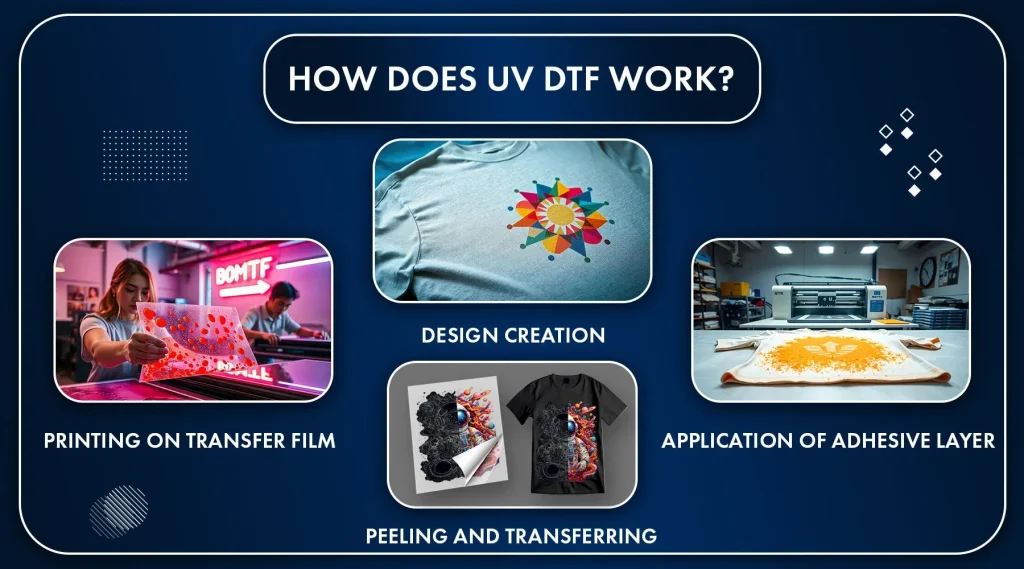
UV DTF transfers unleash vibrant, durable prints for apparel and fabrics, turning digital art into wearable color with crisp detail. For true UV DTF transfers color accuracy, establish a calibrated workflow that aligns screen previews with the final print across substrates. There should be clear placement guidelines for UV DTF to keep artwork centered on different garment sizes and seams. Color management for UV DTF helps maintain hue integrity under varying light and fabric conditions. Pair best practices with tested proofs and scalable templates to deliver consistent results that meet brand standards.
In broader terms, this technology combines UV-curable film prints with a direct-to-film workflow to produce bright, durable colors on textiles. Think of it as modern textile pigment transfer using a transparent carrier, where ink chemistry and substrate interaction shape the final look. The goal here is to frame color consistency and precise placement from a systems perspective, guiding designers toward reliable results.
UV DTF Transfers: Color Accuracy Essentials
Mastering UV DTF transfers color accuracy begins with a calibrated color workflow that links design intent to print output. Start by selecting the right color spaces, converting RGB artwork to printer-friendly profiles, and embedding ICC profiles that match your printer and substrate. When you prioritize UV DTF transfers color accuracy, you reduce hue shifts that occur as inks cure on fabric and respond to light differently than screens.
An effective approach combines monitor calibration, soft proofing, and fabric-aware proofs. Regularly calibrate displays to a standard such as D65, and print soft proofs on similar substrates to compare against on-screen previews. Build a library of fabric proof swatches for your most common garments to anchor expectations and guide color decisions before production.
Color Management for UV DTF: Calibrated Workflows and Profiles
Color management for UV DTF involves aligning your design software, RIP, and printer under consistent color profiles. Use ICC profiles provided by your printer or transfer film vendor, and convert vector elements to outlines at the appropriate stage to preserve typography during RIP processing. A well-structured color management for UV DTF workflow reduces surprises between screen previews and final prints.
Soft proofing across substrates, adjusting curves, and validating with test strips helps ensure consistency. Calibrate your workflow by matching the print environment to the design preview, and build substrate-specific swatches to reference when tweaking colors or contrast for different fabrics.
Placement Guidelines for UV DTF: Aligning Designs to Garments
Placement guidelines for UV DTF: define safe zones and templates to keep key artwork away from edges and seams. Leave a generous margin from garment edges, zippers, and hems so the transfer remains intact after heat application.
Account for seams, stretch, and curvature by testing placements on live garments. For unisex or multi-size designs, center the artwork on the torso and use scalable placement templates to maintain consistent readability across S, M, and L sizes.
UV DTF Ink Quality and Substrate Interaction
UV DTF ink quality determines opacity, color density, and how the print holds up after curing. Work with ink manufacturers that provide stable, consistent formulations for your chosen substrates, and verify that inks reach full cure on each fabric type to avoid cracking or fading.
Manage batch consistency through supplier certifications, proper storage, and routine maintenance of the printer and lamps. Regularly check ink viscosity, set-off risk, and underbase behavior on dark fabrics to preserve vibrancy over time.
Vector vs Raster for DTF Designs: Choosing the Right Format
Vector vs raster for DTF designs: choosing the right format affects sharpness and print speed. Vector elements deliver crisp edges for logos and type and scale cleanly without pixelation, making them ideal for text and line art.
Raster imagery should be high-resolution—typically 300 dpi or higher at the final print size—to avoid blur when enlarged. When rasterizing, keep color spaces consistent and avoid aggressive compression to preserve color integrity during the UV curing and transfer process.
Production Proofing and Quality Control for UV DTF Transfers
Production proofing and quality control for UV DTF transfers establish repeatable outcomes. Implement a simple workflow that includes test strips, color swatches, and a logo sample to evaluate color fidelity and edge definition before full runs.
Inspect proofs under the intended lighting, perform peel tests, and document results, including substrate, ink profile, and observed shifts. Use this data to refine placement templates and color settings for future batches, reducing drift and ensuring consistency across orders.
Frequently Asked Questions
How can I improve UV DTF transfers color accuracy across fabrics?
To improve UV DTF transfers color accuracy, implement a calibrated color workflow: calibrate your monitor to a standard like D65, use ICC profiles for your printer and substrate, and convert artwork to the correct color space before RIP. Perform soft proofs and small test swatches on similar fabrics, then adjust curves and saturation based on those proofs. This helps minimize color shifts between on‑screen previews and the final UV DTF print, supporting solid UV DTF transfers color accuracy.
What are the placement guidelines for UV DTF transfers to ensure correct alignment on garments?
Follow placement guidelines for UV DTF: define safe zones away from garment edges, seams, and folds; account for curves and stretch by testing placements on a live garment; center designs for varying sizes using a placement template; consider fabric type and substrate effects to maintain readability and alignment.
Vector vs raster for DTF designs: which should I use for UV DTF transfers and when?
Vector vs raster for DTF designs: use vector for crisp edges, scalable logos, and typography; convert text to outlines where possible and keep backups of editable files. Use high-resolution raster (300 dpi or higher at the final print size) only when needed, and keep color space consistent to avoid color shifts after RIP processing.
How does UV DTF ink quality affect print outcomes and durability?
UV DTF ink quality directly impacts vibrancy, color consistency, and durability. Choose high‑quality UV inks compatible with your substrate, ensure proper curing, and consider an underbase on dark fabrics to preserve brightness and contrast. Substrate compatibility and ink formulation are key to reliable color and wear performance.
What color-management steps should be in my UV DTF workflow?
Color-management steps include aligning your design software, RIP, and printer with the same ICC profile; using substrate-specific profiles; performing soft proofs and prints on representative fabrics; and routinely calibrating monitors to minimize color shifts across runs.
How should I proof UV DTF transfers before production to avoid surprises with color or placement?
Proof UV DTF transfers by printing a test strip on typical garments that includes color swatches and sample artwork; evaluate proofs under the target lighting and perform a heat cure/peel test after printing; compare results to the design, document any adjustments, and iterate until color accuracy and placement meet your standards.
| Aspect | Key Points | Practical Tips |
|---|---|---|
| Color Accuracy | Color spaces and profiles (design in RGB, convert with printer-friendly ICC profiles); monitor calibration; use soft proofs to compare against real prints. | Use calibrated workflows; apply ICC profiles that match printer/substrate; print soft proofs on similar fabric before production. |
| Color Management | Use vector graphics for crisp edges; raster vs vector decisions; ensure a consistent color profile across software, RIP, and printer; soft proof on substrates. | Convert text to outlines; keep editable backups; raster at 300 dpi or higher; test printer/vendor ICC profiles; maintain substrate-specific soft proofs. |
| Placement Best Practices | Define safe zones; account for seams and stretch; center placement across sizes; consider garment type/substrate; avoid critical details near edges. | Test placements on live garments; build and use placement templates; adjust for curvature and size range. |
| Vector vs Raster for DTF | Use vector elements for logos and typography; raster images should be high-resolution (300 dpi or higher) at final print size; maintain consistent color space and avoid heavy compression. | Convert typography to outlines; keep editable backups; ensure final rasters meet 300 dpi at final size. |
| Ink Quality | UV DTF inks offer bright colors but react to different substrates; ensure ink/substrate compatibility; manage ink density and underbase especially on dark fabrics. | Test density and curing; use reliable UV inks; adjust underbase and cure settings for the fabric. |
| Substrate & Fabric Considerations | Fabric type affects color rendering; white/light fabrics vs dark fabrics require different handling; maintain a library of substrate proofs. | Build substrate-specific proof swatches; adjust color and underbase per fabric type. |
| Design Readability & Typography | Limit color palette for consistency; ensure contrast and legibility; avoid overly saturated gradients; outline fonts to prevent RIP differences; use high-resolution images. | Test at target print size; outline text; verify legibility on the final garment color. |
| Proofing & Iteration | Create test strips; evaluate under intended lighting; perform a peel test; document results for repeatability. | Keep a results log (substrate, color profile, adjustments) for future runs. |
| Common Pitfalls | Color shifts across lots; bleed and misalignment; fabric variation; ink coverage problems. | Maintain consistent ICC/RIP settings; verify bleed; tailor designs per fabric; adjust ink density and include underbase when needed. |
| Practical Tips for a Consistent UV DTF Experience | Develop a design brief focused on color accuracy and placement; keep a consistent file structure; invest in reliable hardware; train the team. | Define substrate, garment color, size range; standardize placement templates; maintain color profiles and proof references; conduct regular team training. |