
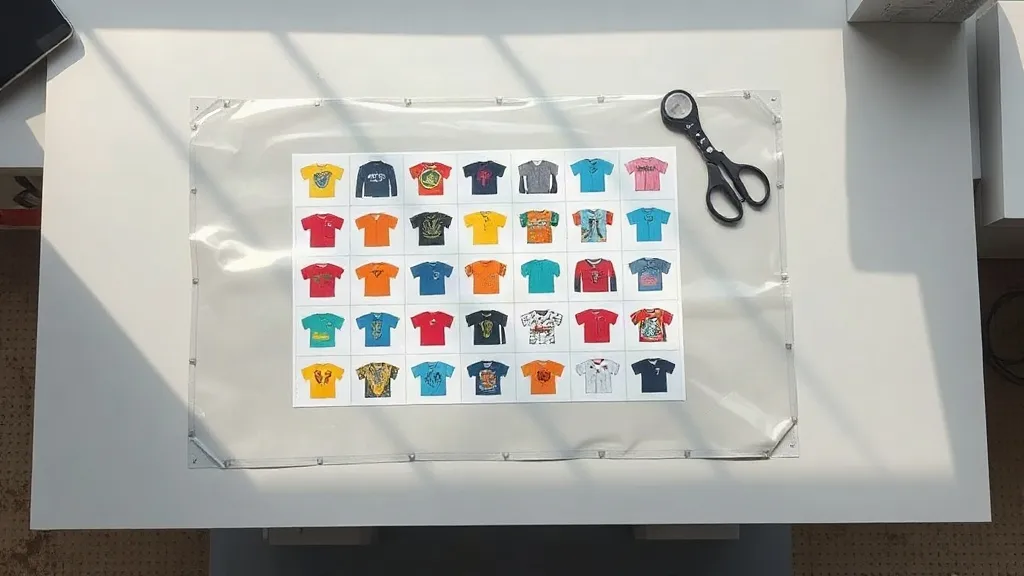
Walk into any small print shop and you will hear the same complaint: single transfers are eating the margin alive. Every design gets its own film, its own powder pass, and its own trip through the press, and that overhead lands on the customer. A DTF Gangsheet solves the math problem. Instead of running one design at a time, you pack dozens of them onto a single sheet of film, press them once, and pay for that sheet rather than each individual piece.
This guide is for the shop owner, side hustler, or team manager who wants to understand how gangsheets actually work in production, not just the marketing version. We will cover how to build a layout that wastes almost no film, how to price jobs so you do not undercut yourself, and the mistakes that quietly turn a profitable sheet into a loss.
What a Gangsheet Really Is (and What It Is Not)
A gangsheet is a single DTF film with multiple designs arranged together. The transfer supplier prints the whole sheet in one pass, powders it, cures it, and ships it as one unit. You cut the individual designs apart at the shop and apply them as needed.
What it is not: a discount gimmick or a bulk order of identical logos. The value comes from variety. A well-made DTF Gangsheet can hold ten different shirt fronts, a sleeve print, three hat logos, and a back design, all on the same meter of film. That flexibility is why apparel brands that sell dozens of SKUs rely on them.
There is a practical limit to keep in mind. Gangsheets are priced by the running inch or by a fixed size, so the cost per design depends entirely on how efficiently you fill the space. A sheet that is 60 percent empty is not cheaper than ordering individually. It is just a worse deal.
The Layout Math That Decides Your Profit
Film is sold in fixed widths, commonly 22 to 24 inches. Whatever does not fit in that width is wasted. Before you send anything to print, sketch your designs on a grid that matches the film width so you can see the gaps.
Rotate before you resize
A design that is 9 inches wide and 4 inches tall might fit two across and leave a 4-inch strip of dead space. Rotate it 90 degrees and you can often fit three or four across with less waste. Rotation costs nothing. Resizing distorts artwork and weakens fine details.
Nest small pieces into big ones
Sleeve prints, pocket logos, and name tags can sit in the negative space around a large back print. Treat the empty corners of a big design as free real estate. Shops that nest consistently report noticeably more designs per running inch than shops that lay everything out in tidy rows.
Watch the bleed
Every design needs a small margin around it so the cut line does not clip the edge. A quarter inch per side is a safe working number. Ignoring this is the most common reason a perfectly packed sheet comes back with damaged artwork.
Building a Sheet Step by Step
- Collect every design at final print size. Confirm resolution and that all text has been converted to outlines.
- Open your layout tool and set a canvas at the exact film width you are ordering.
- Group designs by job or customer so cutting and packing stay organized.
- Place the largest designs first, then rotate and nest smaller ones into the gaps.
- Add cut marks and a small label with the order number in an unused corner.
- Review at 100 percent zoom for stray elements, clipping, and color surprises.
- Export as a single file and confirm the dimensions match your order.
That last step matters more than people expect. A file exported at the wrong resolution will print at the wrong physical size, and the whole layout collapses. Always check the document size against the order form before you hit send.
Pricing a Gangsheet Without Losing Money
The simple formula is cost of the sheet divided by the number of usable designs. If a 24 by 36 inch sheet costs you a set amount and holds fourteen designs, that is your base cost per transfer. Add film handling, cutting labor, and a margin for reprints.
The trap is quoting based on a perfect layout. In real production, a few designs get rejected, a customer changes their mind, or a cut goes wrong. Build a buffer of roughly ten percent into your per-unit price. Shops that skip this step find that busy months are less profitable than quiet ones, which is a frustrating place to be.
For retail customers, price by the design rather than by the sheet. Customers understand a shirt front price. They do not want to hear about running inches, and explaining film economics rarely closes a sale.
Common Mistakes That Waste Film
- Leaving large empty margins because the layout was never reviewed at actual size.
- Mixing orders on one sheet with no labeling, which turns cutting into a puzzle.
- Using low-resolution artwork that looks fine on screen but muddies on fabric.
- Forgetting that white ink sits under every design, so fine dark lines on dark garments can disappear.
- Ordering a fixed size without measuring the actual garment area first.
Each of these is fixable with a checklist. Write yours down and use it every time. Consistency beats talent in a print shop.
When a Gangsheet Beats Individual Transfers
Gangsheets win when you have variety and volume at the same time. A brand launching a twelve-piece capsule collection, a team ordering numbered jerseys, or a shop running a weekly drop all benefit. They lose when you need a single large back print with nothing to fill the rest of the film. In that case, order the individual transfer and move on.
If you are new to the format, start with a small sheet, measure your waste, and adjust. The learning curve is short, and the cost difference shows up on the first order.
Frequently Asked Questions
How many designs fit on a standard DTF Gangsheet?
It depends entirely on design size. A sheet packed with pocket logos can hold thirty or more, while a sheet of full back prints may hold only four or five. The number that matters is usable area, not design count.
Can I mix different garment colors on one sheet?
Yes. DTF transfers apply to cotton, polyester, blends, and even nylon, so a single sheet can serve a mixed order. Just keep the cut marks clear so each transfer goes to the right garment.
How long can I store a printed gangsheet before using it?
Stored flat, dry, and away from direct heat, transfers typically stay usable for several months. Keep them in a sealed bag if your shop is humid, since moisture affects how cleanly the powder layer releases.
Do I need special software to build the layout?
No. Any vector or layout tool that lets you set an exact canvas size and export a single file will work. The important part is matching the canvas to the film width you ordered.
What happens if a design on the sheet is damaged?
Only that piece is lost. Because designs are cut apart, a flawed transfer does not affect the rest of the sheet, which is one of the quiet advantages of the format over roll printing.