
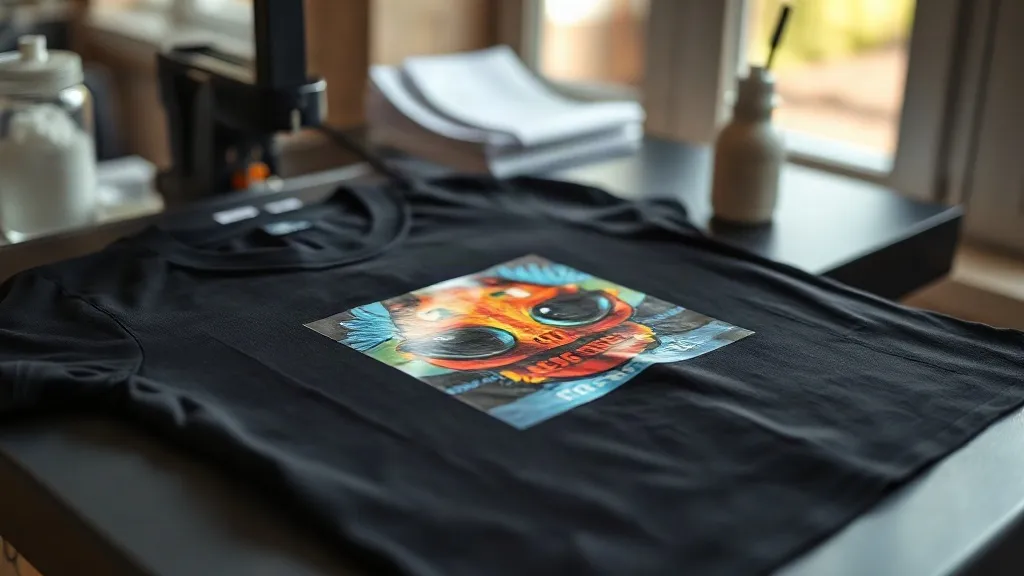
Most people who try dtf transfers for the first time fall in love with the process for one simple reason: the fabric barely matters. Cotton, polyester, blends, canvas, even a nylon tote you found in a drawer, all of it takes a DTF print the same way. That flexibility is exactly why the method spread from small print shops into garages, craft rooms, and school fundraising tables in just a few years. But flexibility is not the same as forgiveness. A transfer that looked perfect off the sheet can crack after five washes if the press settings were wrong, and a cheap film can ruin an otherwise solid design before it ever touches a shirt. This guide walks through what actually happens inside a DTF print, where people go wrong, and how to build a repeatable process you can trust.
What actually happens inside a DTF transfer
A DTF print is built in layers, and each layer has a job. Understanding the stack makes troubleshooting far less mysterious, because when a print fails you can usually point to the specific layer that let you down.
The ink layer
Water-based pigment inks are printed onto a coated PET film. A white ink base goes down first, then color on top. That white base is the reason DTF works on dark garments at all. Without a dense, evenly cured white layer, colors go muddy against a black hoodie. Film quality matters here more than most beginners expect. A poorly coated sheet will not hold the white ink evenly, and you get patchy coverage that no amount of pressing will fix.
The powder layer
While the ink is still wet, the printed film passes through a shaker that dusts it with hot-melt adhesive powder. The sheet is then heated so the powder melts into the ink and forms a flexible adhesive skin. This step is where a lot of home setups struggle. Under-cured powder leaves a grainy surface and a print that peels at the corners. Over-cured powder turns brittle and yellow, and the finished transfer feels like a sheet of plastic on the shirt.
The press layer
Finally, the transfer meets the fabric under heat and pressure. The adhesive re-melts, flows into the fibers, and locks in as it cools. Cooling is not optional. Pulling a shirt off the press and immediately folding it traps heat in the adhesive and can cause the print to lift later. Let it rest flat until it is cool to the touch.
Press settings that hold up after twenty washes
Manufacturer instructions vary, so treat any numbers as a starting point and adjust from there. That said, most dtf transfers land in a workable range that looks roughly like this:
- Temperature: 150 to 160 degrees Celsius for most films, though some suppliers specify higher for heavy white coverage.
- Pressure: medium to firm. You want the fabric texture to show faintly through the print, not a crushed, shiny surface.
- Time: 10 to 15 seconds for the main press, then a second short press after peeling the film.
- Peel: warm peel for most films, cold peel for a few. Check the supplier sheet, because getting this wrong is the single most common cause of cracked edges.
The second press, often called a post-press, is the step people skip and then blame the supplier for. A short 5-second press through a cover sheet or parchment smooths the adhesive into the fabric and noticeably improves wash durability. It costs almost nothing in time and saves a lot of reprints.
Fabric-specific adjustments
Polyester behaves differently from cotton. It heats faster, and some dyes in cheap polyester can migrate into the print over time, showing up as a pink or grey ghost behind light colors. A lower temperature with a slightly longer press helps, and a quality white base blocks most migration. Nylon needs more care still, since it can scorch or glaze under high heat. Test on an offcut from inside a hem before committing a full run.
Common failures and what they are telling you
Every defect is a message. Learning to read them shortens the learning curve dramatically.
- Peeling at the edges after washing. Usually under-pressed or insufficient pressure at the perimeter. Check that your platen is level and that the garment is not bunched under the print.
- Grainy, sandy texture on the print surface. Powder was applied too heavily or not fully melted. Shake off excess powder before curing.
- Cracking across the design. Over-pressed or over-cured powder, or a film that was stored in humid conditions. Adhesive powder absorbs moisture, so keep opened film sealed.
- Colour looks dull on dark fabric. Thin white base. This is a supplier or file issue, not a press issue.
- Print lifts in one spot only. A wrinkle in the film, a seam under the design, or a cold spot on the platen.
If you are troubleshooting a batch and cannot pin down the cause, change one variable at a time. Temperature first, then time, then pressure. Changing three things at once teaches you nothing.
Buying transfers versus printing your own
There is a real fork in the road here, and the right answer depends on volume and how much you enjoy fiddling with equipment. Printing in-house gives you control and lower per-unit cost at high volume, but it means maintaining a printer, dealing with ink settling, managing powder in a humid room, and accepting a meaningful upfront spend. Ordering ready-made transfers removes all of that. You send artwork, receive sheets, and press them.
For a shop doing a few dozen pieces a week, ordered transfers are often the more profitable choice once you account for wasted film, clogged heads, and the hours spent dialing in a printer. For a shop doing hundreds, the math flips. Many small businesses run a hybrid: order transfers for complex full-colour designs and print simple one-colour work in-house.
What to check before you reorder from a supplier
Anyone searching for dtf transfers near me usually wants speed, but speed without consistency is a trap. Before you commit to a repeat order, run a small test batch and check these points:
- Is the white base opaque on a black 100% cotton tee, or does it look grey?
- Does the film peel cleanly without dragging colour with it?
- How does the print feel? A good transfer is soft enough to drape with the fabric.
- Does the supplier state press temperature, time, and peel type clearly?
- Are gang sheets priced sensibly if you want to fill a sheet with multiple designs?
- Do colours match your file, or is there a visible shift in reds and skin tones?
Red and skin tones are the honest test. Cheap ink sets often drift in those areas, and it is the kind of flaw a customer notices immediately on a portrait or a team logo.
Getting more out of each sheet
Gang sheets are where the economics of dtf transfers get interesting. Instead of printing one design per sheet, you nest several small designs into a single layout. Leftover space becomes profit rather than waste. The practical trick is to keep a running file of small, high-demand items: pocket logos, sleeve badges, name tags, small mascots. When a customer orders a large print, fill the margins with those. You build a small inventory of ready-to-press items at almost no extra material cost.
Storage deserves a mention too. Finished transfers should stay flat, dry, and away from direct sun. Stacking them under heavy objects or leaving them in a humid room invites the powder to absorb moisture, which shows up later as cracking. A simple flat drawer with a desiccant pack solves it.
Frequently asked questions
Can DTF transfers go on 100% polyester without melting or dye migration?
Yes, with care. Polyester heats quickly, so drop the temperature slightly and watch for dye migration on light-coloured prints. A dense white base and a pre-press of the garment to remove moisture both help. Always test on an inner hem first.
How long should I wait before washing a freshly pressed DTF shirt?
Give it at least 24 hours. The adhesive continues to settle as it cools and bonds with the fibers. Washing immediately, especially in warm water, is one of the fastest ways to shorten a print's life.
Do DTF transfers work on nylon, canvas, and leather-look materials?
They work on many of them, but heat tolerance is the limiting factor rather than adhesion. Nylon and coated fabrics can scorch or glaze, so use a lower temperature and a protective cover sheet. Test a hidden area before running a full batch.
Why does my DTF print feel stiff and plastic-like?
Usually too much powder or too long a press. Excess adhesive that melts into a solid layer creates that stiff hand feel. Shake off surplus powder before curing and keep press time within the supplier's range.
Is it cheaper to order DTF transfers or buy a printer?
At low volume, ordering is almost always cheaper once you count wasted materials and setup time. The break-even point depends on your weekly output and how much of your day you want to spend maintaining equipment rather than serving customers.